
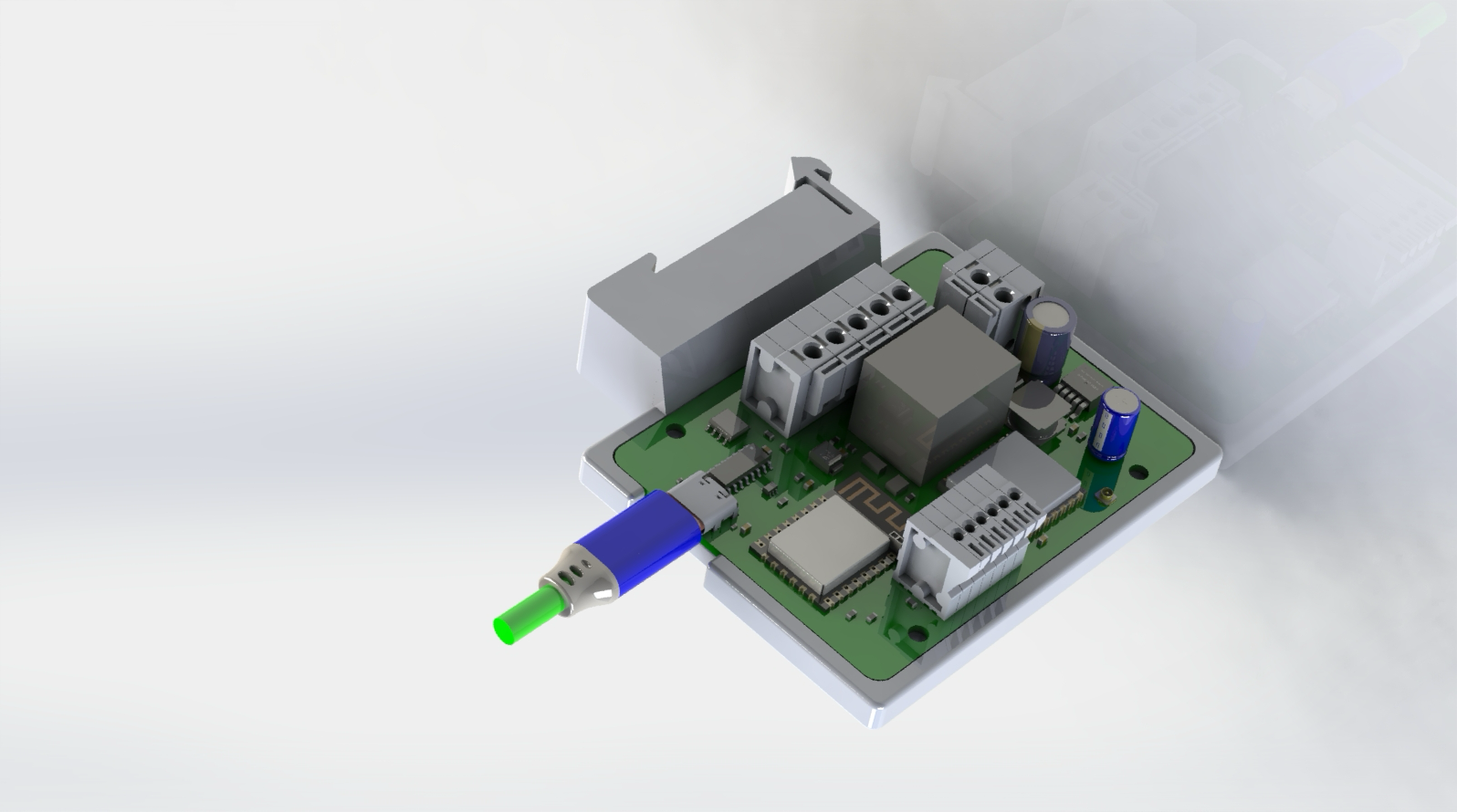
No special gateway hardware.
Configure one of the same LRS boards as a Wi-Fi-connected gateway. Other LRS boards communicate with it over LoRa.
LRS · LoRa Relay Switcher
Switch a contactor across the farm. Read a tank level. Bring remote equipment into your automation system. The LRS connects it all over LoRa.
433 MHz & 915 MHz US variants · One board. Gateway or remote.
01 / The hardware
Long-range relay control for generator start/stop, load management and automation systems. Use a dry-contact input or MQTT through a Wi-Fi-connected LRS as a gateway.
Configure one of the same LRS boards as a Wi-Fi-connected gateway. Other LRS boards communicate with it over LoRa.
The six-way sensor block supports tested 0–5 V sensors, including DFRobot KIT0139, and DS18B20 temperature sensors. Dry-contact inputs suit float switches and other simple signals.
Relay states, inputs and sensor readings are available over MQTT. Build your own logic in Node-RED, Home Assistant or another MQTT-capable system.
A SIMPLE FIELD NETWORK
Remote equipment. One connected view.
Control the coil, not the load. Use the onboard relay only to switch the coil of a suitably rated relay or contactor. Do not switch equipment loads directly.
Built to fit your installation. Obo T60 mounting holes or a 3D-printable DIN bracket ↗. The Mean Well HDR-15-12 is the recommended supply for DIN-mounted versions. An AC power hat is available for the Obo T60 arrangement.
Full specifications02 / FieldOps Control
Flash firmware, provision devices and see your fleet in one desktop app. FieldOps Control brings the LRS setup and maintenance tools together.
Get Control for your computer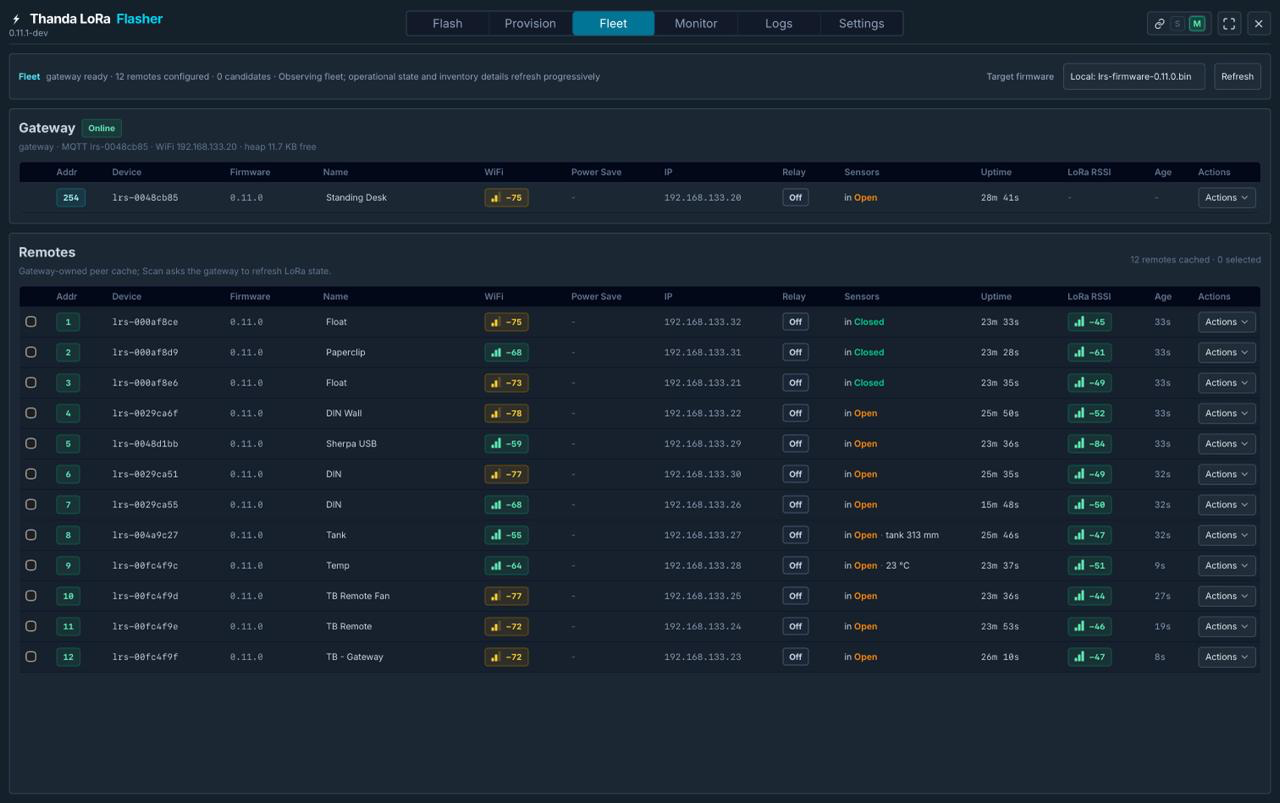
03 / In the field
These are applications reported from LRS installations. The control logic and installation are selected for each site.
A KwaZulu-Natal farm controls a borehole from a reservoir level signal 300 m away. A Northern Cape installation operates a valve from a float switch 100 m away.
Level sensing → remote controlA Cape Town housing estate uses LRS boards to turn street lighting on and off through its switching equipment.
Distributed lighting controlA Western Cape wine estate controls a grid contactor 1 km away. Useful when the switching point and the control decision are in different places.
Long-range contactor controlA lodge in Mozambique uses touch-screen load control according to whether rooms are in use.
Occupancy-based load managementA pool company controls a second pump based on a water-temperature reading at the first pump.
Temperature → automation → controlTell us what you need to measure or control, the distance involved and what power is available. We’ll help you work through the fit.
Discuss an applicationDistances above describe individual installations, not a guaranteed radio range. Terrain, antennas and installation conditions matter.
04 / Downloads
Datasheets, desktop software and regional firmware. Start with FieldOps Control for setup, flashing and fleet management.
Hardware, connections & mounting options
DESKTOP APPLICATION
Flash, provision, monitor and manage your LRS devices.
Previously known as Thanda LoRa Flasher.
| Platform | Package | Size | Download |
|---|---|---|---|
| Browse all release files on GitHub ↗ | |||
DEVICE SOFTWARE
| Radio / region | Firmware profile | Files |
|---|---|---|
| View regional firmware binaries on GitHub ↗ | ||
Updating a fleet? Update the gateway first, then the remotes. Use the firmware matching the installed radio and region; 433 MHz and 915 MHz devices are different variants.
05 / Let’s talk
For hardware enquiries, a new application or help choosing the right LRS variant, talk to the Thanda team.